Compliance Capabilities for QuickBooks Desktop
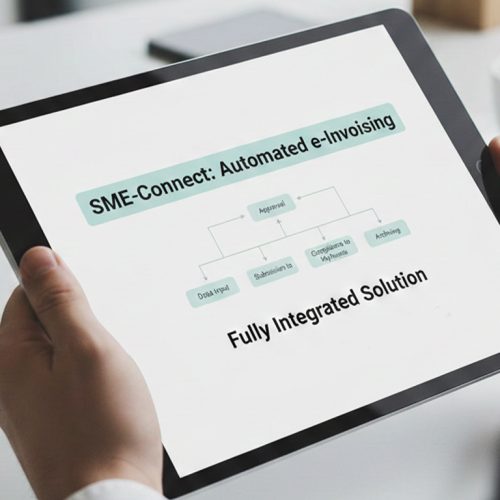
How QuickBooks Desktop Data Reaches Advintek
- Ledger Intake: QuickBooks Desktop records are collected from relevant accounting workflows before invoice preparation and ERP processing.
- Field Transformation: Account, customer, item, and transaction fields are translated into structures supporting connected electronic invoice operations.
- Record Validation: Source information is reviewed against required fields before records proceed into structured invoice processing.
- Tax Association: Applicable tax attributes are associated with corresponding transactions and billing records during invoice preparation.
- ERP Exchange: Prepared invoice information is exchanged with connected ERP environments for finance processing and reporting.
- Reference Linking: Processing references connect invoice outputs with originating QuickBooks Desktop records for review and reconciliation.
What Advintek Connects Within QuickBooks Desktop
Advintek connects QuickBooks Desktop accounting activity with ERP invoice operations, coordinating ledger, customer, transaction, item, tax, and invoice data for downstream electronic invoice processing.
- Map ledger entries into invoice structures
- Link customer masters with billing records
- Associate tax details with source transactions
- Connect invoice outputs with ERP reporting
Business Benefits Across QuickBooks Desktop
- Financial Continuity: Connect accounting entries with invoice records while preserving relationships across enterprise finance processes consistently.
- Ledger Visibility: Give finance teams clearer insight into how source postings relate to electronic invoice activity.
- Reporting Coordination: Structure invoice information for broader ERP reporting, reconciliation, and financial analysis processes across departments.
- Process Governance: Establish controlled routes for accounting data entering invoice and compliance workflows across finance teams.
- Record Traceability: Link invoice outputs with originating transactions, accounts, and supporting financial references for review and reconciliation.
- Operational Consistency: Coordinate recurring billing information across QuickBooks Desktop and connected enterprise systems for smoother processing.
Vietnam E-Invoicing Capabilities for QuickBooks Desktop
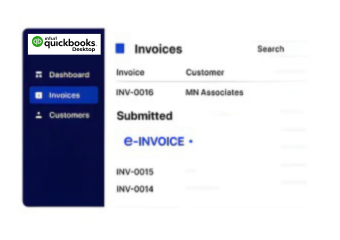
Invoice Monitoring
Review processing states and related records across connected Vietnam electronic invoice workflows.
Reconciliation Support
Compare invoice information with accounting records for clearer overall finance review and control.
ERP Reporting
Extend structured invoice data into connected reporting and financial management environments.
QuickBooks Desktop Support Across Vietnam
Advintek supports QuickBooks Desktop environments by connecting accounting structures with Vietnam electronic invoice workflows, ERP finance processes, tax information, and enterprise reporting operations.
- Connect account structures with billing workflows
- Coordinate posting references across finance systems
- Relate customer masters to invoice records
- Support tax reporting through structured data
Modernize Your Electronic Invoice Process
Link QuickBooks Desktop records with Vietnam invoice workflows today.
Coordinate ERP finance data across connected workflows.
Ready e-Invoice System
Frequently Asked Questions QuickBooks Desktop e-Invoicing in Vietnam
Which QuickBooks Desktop records can feed Advintek workflows?
Advintek can work with QuickBooks Desktop data such as customer accounts, sales records, item information, account classifications, tax details, and invoice references. Relevant information is organized according to the connected ERP workflow, allowing finance teams to create structured electronic invoices while maintaining relationships between source accounting records and downstream billing processes.
How does QuickBooks Desktop connect with broader ERP finance operations?
When QuickBooks Desktop feeds an ERP environment, Advintek can coordinate accounting records with broader finance operations. Transaction details, account structures, customer information, and invoice references can be prepared for connected workflows. This creates continuity between desktop accounting activity and enterprise processes such as billing, reconciliation, reporting, and financial record management.
What accounting information can support Vietnam invoice preparation?
QuickBooks Desktop contains accounting information that can provide useful context for electronic invoice preparation. Advintek can relate account classifications, customer records, transaction details, item information, and applicable tax attributes before invoice processing. This approach helps preserve the original accounting context while creating structured information for Vietnam invoice and ERP workflows.
Where does tax information fit within QuickBooks Desktop integration?
Advintek can associate applicable tax information with the QuickBooks Desktop records used for invoice preparation. Relevant tax attributes are coordinated with transactions, customers, items, and billing information before processing continues. This supports GDT-aligned workflows while giving finance teams a clearer relationship between source accounting data, tax information, electronic invoices, and ERP records.
Can QuickBooks Desktop invoice records support enterprise reporting?
QuickBooks Desktop invoice information can contribute to ERP reporting when relevant records are structured and connected with broader finance processes. Advintek can associate invoice outputs with source transactions, account classifications, customer records, and processing references. This gives finance teams a more connected view for reconciliation, reporting analysis, and operational oversight.